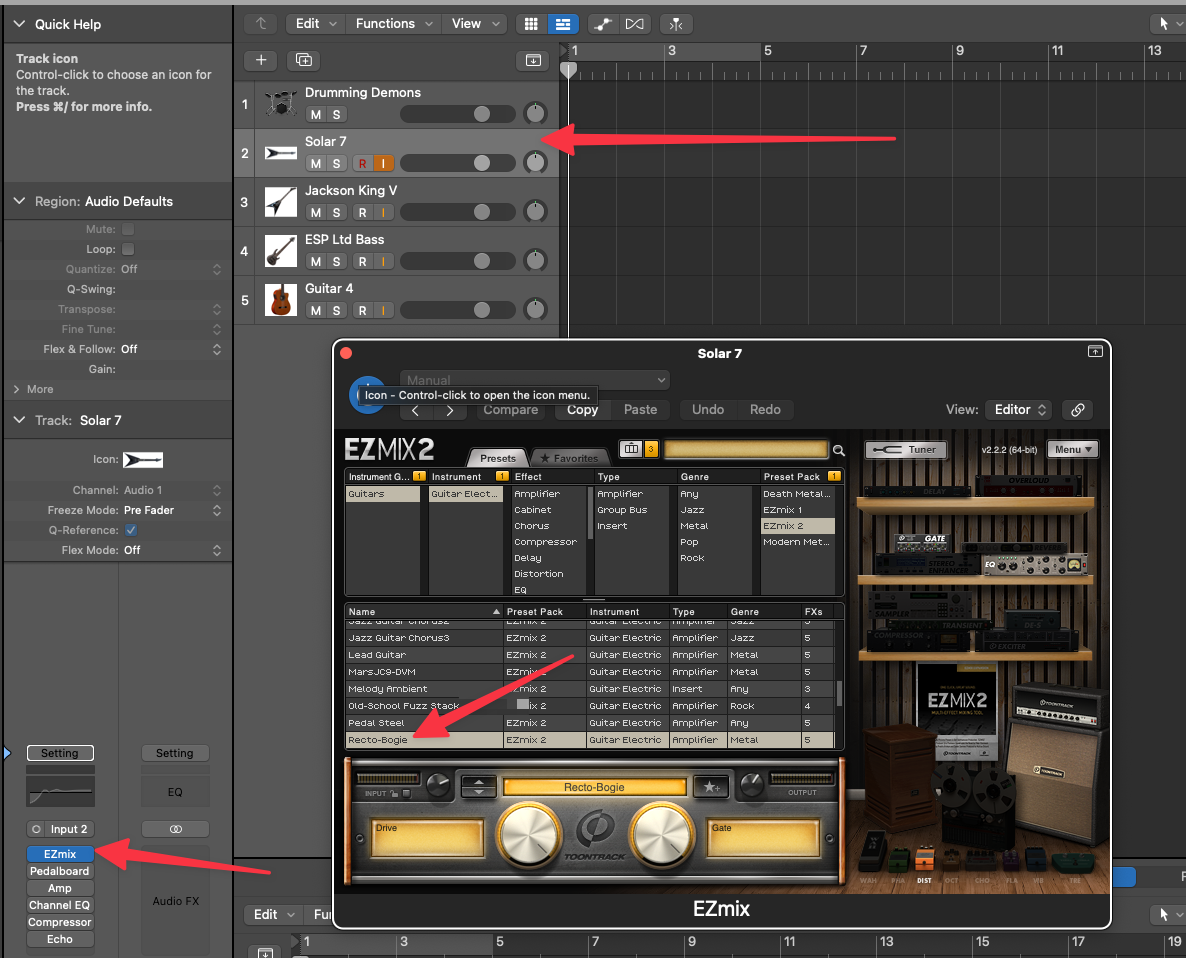
A few things worth setting up when you’re getting started with Logic Pro X is to setup a template for your sessions. For myself I generally have several instruments I use at any particular time. With each of those instruments I have custom settings, amps, and other configurations that I like to have ready to jam with. My template ends up looking – at least today – something like this.

The Drumming Demons channel is setup to use Superior Drummer 3. The kit setup is The Metal Foundry Library set to the Dug Out – Daniel Bergstrand Texas Metal Kit.

First up is my 7 string Solar V. This thing is a beast of a guitar, heavy af in sound, also kind of heavy as a guitar, but the build is absolutely stellar! Love this thing!
For it I’ve been loving the EZmix 2 preset pack set to the Recto-Bogie guitar mix.
Next up is the USA made, custom Jackson King V. I bought this guitar a while ago and it is an absolutely stunning beauty, a dream to play, and something that these days seems to run about $6k for starters! I’m thankful I bought mine ages ago at a noticeably lower price as today, I look back and think, “holy shit that was a steal!”
It’s also configured the same as the Solar 7. I do of course, as it is as easy as selecting another, switch em’ to other amp setups every now and again, but tend to just play during a session with the Recto-Bogie setup.
Then comes the low end, currently held down by an ESP Ltd 6-String bass. It’s chunky, ballsy, and holds things together real well without any of that battery for active pick up needs. It’s just, pick it up and thick like a wicked tasty gumbo! Usually for this beast I also use EZMix 2 Modern Metal Pack’s Bass-Clean amp setup.

Last, I have several classical guitars and when I use those, I plug em’ up and often use the Logic Pro X built in amp options for those. For these, it’s mostly up to the guitar itself for the meat of the sound.

 Vicious Shred
Leave a comment